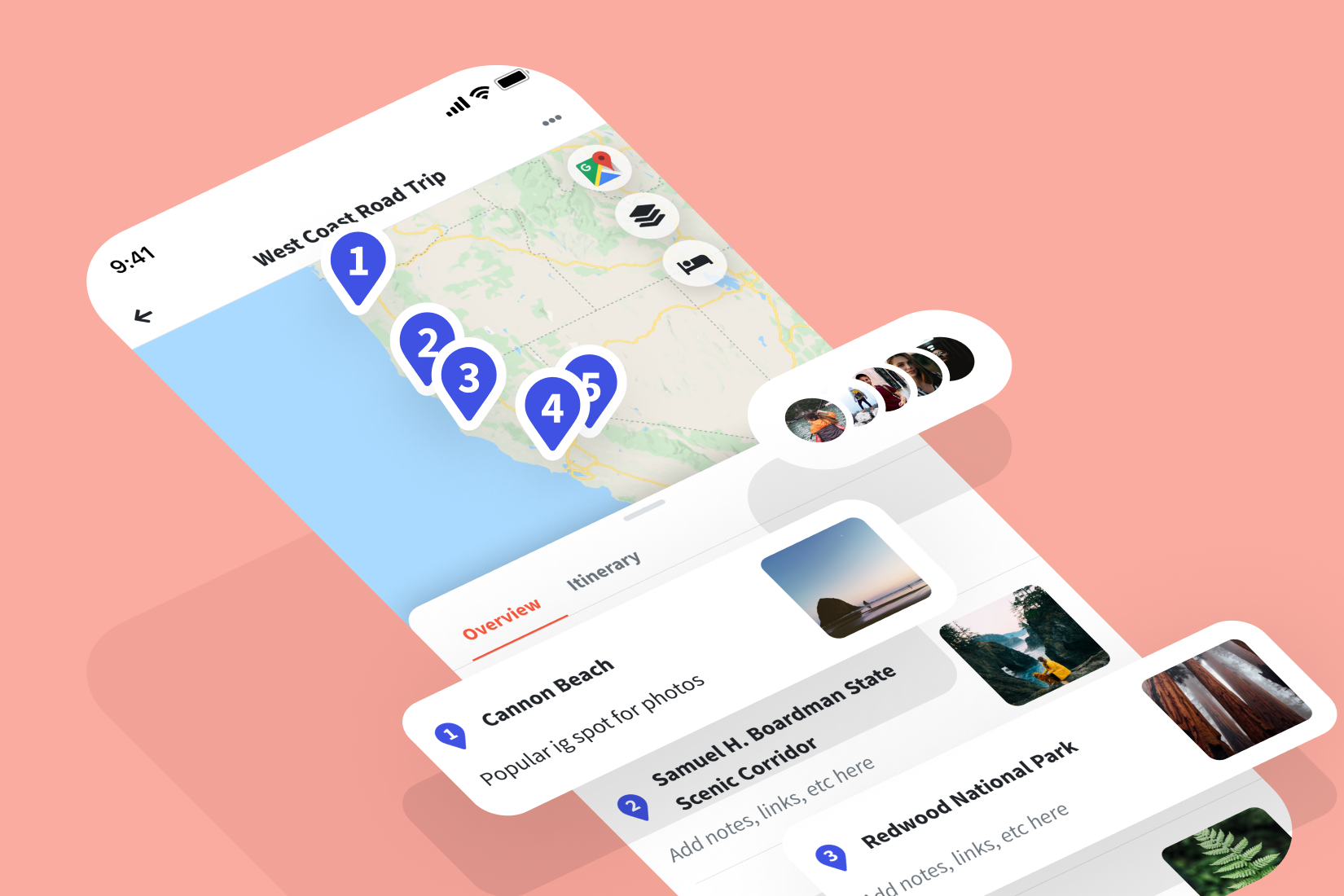
In today’s digital age, planning a trip has never been easier. With the rise of smart devices and specialized travel apps, you can organize every aspect of your journey — from flights and accommodation to sightseeing and budgeting — right from your phone. Whether you’re a meticulous planner or a spontaneous traveler, knowing how to use travel apps to plan your trip itinerary can save time, reduce stress, and make your travel experience far more enjoyable.
This guide breaks down how to find, use, and combine the best travel apps to build a seamless itinerary that fits your travel goals and preferences.
1. Why Use Travel Apps for Trip Planning?
Gone are the days of flipping through guidebooks or juggling printed maps. Travel apps centralize everything you need in one place — keeping you organized and informed.
Benefits of Using Travel Apps
- Time Efficiency: Instantly compare flights, hotels, and attractions.
- Real-Time Updates: Get notifications on flight delays, weather changes, or booking modifications.
- Offline Access: Many apps offer downloadable maps and guides for use without Wi-Fi.
- Budget Control: Track expenses and find the best deals.
- Personalization: Tailor recommendations to your interests and travel style.
Using the right combination of apps ensures you have a smooth and memorable travel experience from start to finish.
2. Essential Types of Travel Apps
When planning your trip, consider these main categories of apps — each designed to handle specific aspects of travel.
| App Type | Purpose | Popular Examples |
|---|---|---|
| Flight Booking | Find, compare, and book flights | Skyscanner, Google Flights, Hopper |
| Accommodation | Book hotels, hostels, or vacation rentals | Booking.com, Airbnb, Agoda |
| Transportation | Plan local and international transport | Rome2Rio, Trainline, Uber |
| Itinerary Management | Organize bookings and schedules | TripIt, Wanderlog, Roadtrippers |
| Maps & Navigation | Find routes, landmarks, and offline maps | Google Maps, Maps.me |
| Language & Communication | Translate and communicate easily | Google Translate, Duolingo |
| Budgeting | Track spending and currency conversion | Trail Wallet, XE Currency |
| Cultural Guides | Learn about etiquette and customs | Culture Trip, Localeur |
Choosing the right mix of these apps can turn even a complex trip into a stress-free experience.
3. Step-by-Step Guide to Planning Your Trip Itinerary
Step 1: Research Destinations
Start with Pinterest, Lonely Planet, or Culture Trip to gather inspiration. Read travel blogs and watch vlogs to understand what makes each location special.
Step 2: Book Flights and Transport
Use Skyscanner or Google Flights to find the best flight options. Set price alerts to track fare drops. If traveling across multiple countries, Rome2Rio can show you the best combination of flights, trains, and buses.
Step 3: Choose Accommodation
Select your stays based on budget and experience. Booking.com and Airbnb offer reviews and flexible cancellation policies. For a more cultural experience, try local guesthouses or homestays — a great way to connect with local communities.
Step 4: Build a Day-by-Day Itinerary
Apps like TripIt and Wanderlog allow you to input all your reservations and daily activities in one place. You can sync with your email to automatically import bookings and view everything offline.
Step 5: Explore with Maps and Local Guides
Once you’re on the road, use Google Maps for navigation and Maps.me for offline access in remote areas. Apps like GetYourGuide or Viator help you discover tours, attractions, and local experiences.
Step 6: Stay Connected and Informed
Download Google Translate for quick language assistance and WhatsApp for communication. For cultural sensitivity, apps like Localeur provide etiquette advice — especially useful if you’re researching topics like What to Wear When Traveling in Conservative Countries to ensure respectful interactions abroad.
4. Combining Apps for a Seamless Travel Experience
Each travel app serves a specific purpose, but combining them strategically makes trip planning effortless. Here’s how to integrate them:
| Travel Stage | Recommended Apps | How They Work Together |
|---|---|---|
| Pre-Trip Planning | Pinterest, Culture Trip, Skyscanner | Research and book flights early |
| Accommodation | Booking.com, Airbnb, Agoda | Compare prices and locations |
| Itinerary Creation | TripIt, Wanderlog | Sync all bookings and activities |
| On the Go | Google Maps, XE Currency, WhatsApp | Navigate, manage money, and communicate |
| Post-Trip | Polarsteps, TripCast | Document and share your adventures |
This multi-app strategy ensures you’re covered from pre-departure to post-travel reflections.
5. How to Stay Organized
Travel apps can easily clutter your phone if not managed properly. To stay organized:
- Create a “Travel” folder on your phone to store all relevant apps.
- Use one main itinerary app to consolidate bookings.
- Enable cloud sync for backup and offline access.
- Keep screenshots of tickets and maps in case of connectivity issues.
- Set app notifications for reminders about flights or reservations.
Consistency and minimalism make digital travel management effortless.
6. Using Offline Features Effectively
Many travelers worry about using data abroad. Fortunately, most top travel apps offer offline features:
- Maps.me and Google Maps: Download maps for specific regions.
- TripIt and Wanderlog: Access itineraries without Wi-Fi.
- Google Translate: Download language packs for offline use.
- XE Currency: Check exchange rates offline once data is updated.
These features ensure you can stay on track even in remote or rural destinations.
7. Budgeting and Expense Tracking
Managing expenses is crucial while traveling. Apps like Trail Wallet, TrabeePocket, and Mint make it easy to set budgets, log daily spending, and view summaries by category. Combine them with XE Currency for real-time conversions.
Budgeting Tips:
- Log all purchases daily to stay on budget.
- Use filters to analyze where most of your money goes.
- Separate cash expenses from card transactions.
- Set alerts for exceeding daily limits.
Smart budgeting allows you to enjoy experiences without financial surprises.
8. Safety and Travel Insurance Integration
Many itinerary apps now integrate with travel insurance providers for quick access to policy information and emergency contacts. Store your insurance details within your main itinerary app or upload them to the cloud for easy retrieval.
If your trip involves outdoor activities or remote regions, make sure your coverage includes adventure protection — just as highlighted in articles about comprehensive travel insurance for explorers. This extra step keeps your travels safe and worry-free.
9. Sharing and Collaborating on Itineraries
Planning a trip with friends or family? Collaborative apps simplify coordination.
- Wanderlog: Allows multiple users to edit and comment on itineraries.
- Google Docs or Sheets: Perfect for tracking group expenses or schedules.
- TripIt Pro: Syncs updates across everyone’s devices.
Sharing itineraries ensures everyone stays informed and eliminates confusion about meeting points or activity times.
10. Post-Trip Features
After your adventure, certain apps help preserve your memories. Polarsteps automatically maps your route and photos, while TripCast allows you to share updates privately with loved ones. Reviewing places on Google Maps or TripAdvisor also helps future travelers discover great destinations.
FAQs
1. Which travel app is best for organizing a full itinerary?
TripIt and Wanderlog are top choices, allowing users to compile bookings, activities, and notes in one streamlined interface.
2. Can I plan multi-country trips using travel apps?
Yes. Apps like Rome2Rio and Skyscanner make it easy to connect multiple destinations and plan logistics.
3. Are travel apps free to use?
Most offer free versions with optional premium upgrades for added features like offline access or advanced budgeting tools.
4. How can I keep my travel data safe?
Use strong passwords, enable two-factor authentication, and store backup copies of important documents in cloud storage.
5. Do I still need paper copies of my itinerary?
While digital itineraries are reliable, carrying printed copies of critical documents like visas, passports, and tickets is a smart precaution.
Final Thoughts
Mastering how to use travel apps to plan your trip itinerary transforms the way you travel — giving you control, convenience, and creativity at every step. From booking flights to mapping routes and managing expenses, these tools empower you to design a journey that fits your style and goals.
Embrace technology, stay flexible, and use these digital companions to enhance — not replace — real-world exploration. Because while apps help you organize the journey, it’s the moments of discovery, connection, and wonder that truly define the trip.